We are at that stage where it feels like some companies have raced ahead and are running their whole operation through AI, while others don’t know where to start. But, beyond the hype, I haven’t seen any real examples of the former. When you do go beyond that hype, there are some useful and practical ways to use AI and automation, as long as you approach it the right way.
The goal shouldn’t be to build the cleverest AI system, the starting point should be to solve a real business problem with the least complexity and risk necessary. The simplest solution is often all you need.
AI, agents and automation defined
People use the terminology differently, so I won’t get bogged down on exact definitions, but for beginners here are some practical examples of the different levels of Automation and AI.
If you take the example of a prospect filling out the contact form on your website;
- Workflow automation: their details automatically get entered into your CRM, checked against duplicates, they get an automatic follow-up.
- AI-assisted automation: the contact form message doesn’t fit neatly into a category, so AI reads the message and routes the query accordingly
- AI-agent: AI checks and sees that they are not already in your CRM, so it does some background research on the account and prepares a brief for your sales rep
Going another step, you might find a multi-agent team, or agentic workflow, or most ominously; a swarm. In this case, one agent might handle the research, another receives this data and drafts a response, a third might check it, and so on, with the agents all working together and interacting without needing human input at each step.
Or somewhere beyond this, if some of the more out-there posts on LinkedIn are to be believed, people have built multi-agent teams that work together all day and run their whole business.
Assuming you’re not at that level yet, here are my tips on getting started with automations and AI agents.
How to get started with automation and AI agents
Start with a real workflow.
It should be something that is time-consuming enough to be worth it, and it also has to be a process you can clearly map and understand, what happens at what steps, when is judgement or decisions needed, what is the criteria for deciding etc.
- Keep it simple
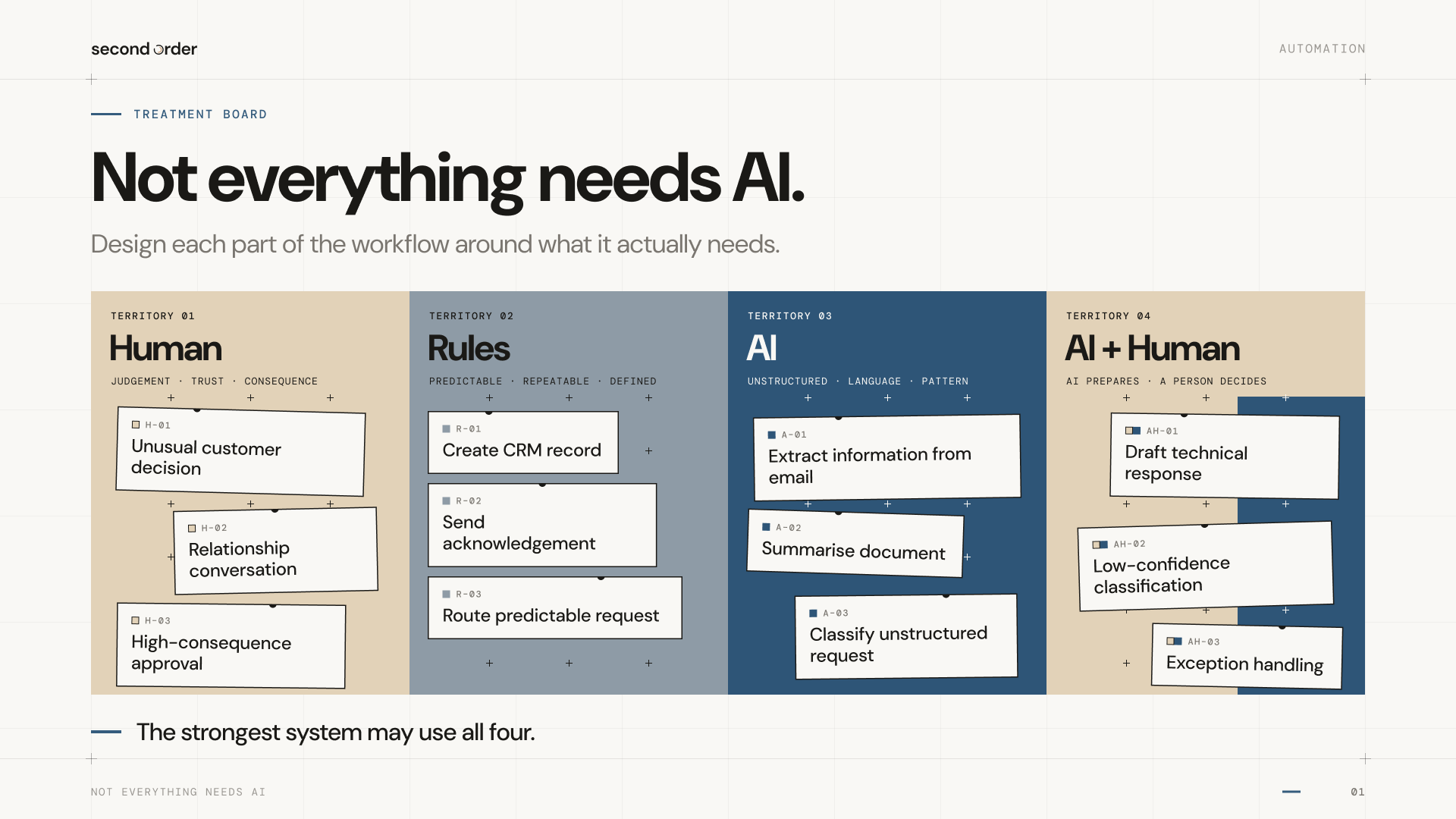
Use the minimal complexity necessary. This means if a simple, deterministic automation will solve the problem, then use that, don’t overcomplicate it for the sake of cleverness.
Map each step individually
If it’s a multi-stage process, with multiple automations or agents involved, it’s vital to step out each stage, and keep them separate and discrete. The end goal might be for everything to work together, but it’s also important that you can audit and track the handoff at each stage and see what’s working and where something has gone wrong.
- Keep human judgement where it’s needed
It’s essential to work out where human approval is needed, and how to handle edge cases and exceptions. This is where edge-cases are really important to consider. A 99% rate can be excellent or catastrophic, depending on what the 1% error costs.
This is why you need to be wary of automating public-facing tasks, and also limiting the power of an agent to the bare minimum it needs. It also means there’s nothing to be ashamed of in having human approval stages in an automated workflow; you don’t need to boast on LinkedIn about your completely autonomous agent swarm.
Sometimes AI isn’t the answer
With edge-cases, sometimes you can also take a step back and modify the input. I was working with a client who had a quote from someone for an automated email processing agent for their info@ inbox, and it had a lot of extra layers as the inbox was also used by a part-time admin employee, and a historical range of aliases. They’d designed a very-complex way of sifting and handling all this, but it was much easier and cheaper to start with a few changes to which aliases went where, leaving the automation a much simpler problem to handle.
Map the real world
A key part of mapping a process is to really understand how it works in the real–world, particularly where human inputs make a big difference in a way that might not be immediately obvious or formally documented.
AI and automation won’t magically solve problems that haven’t been properly defined. If you have a bad or unclear process, then automation risks amplifying the problem, as well as disguising it under a layer of AI-generated plausibility.
Document and maintain
One final tip, if you’ve ever had those projects and things that one staff member knows how to do, and then they leave, you’ll appreciate how things can go wrong here. Make sure any automations are clearly documented; including how they work and what access they have. Depending on the workflow, it’s likely that circumstances and inputs will change over time, meaning things can break, so it’s also important to maintain automations and AI workflows.
There’s nothing worse than key processes in your business collapsing at some point in the future and not being able to find and fix the cause.
Time to begin?
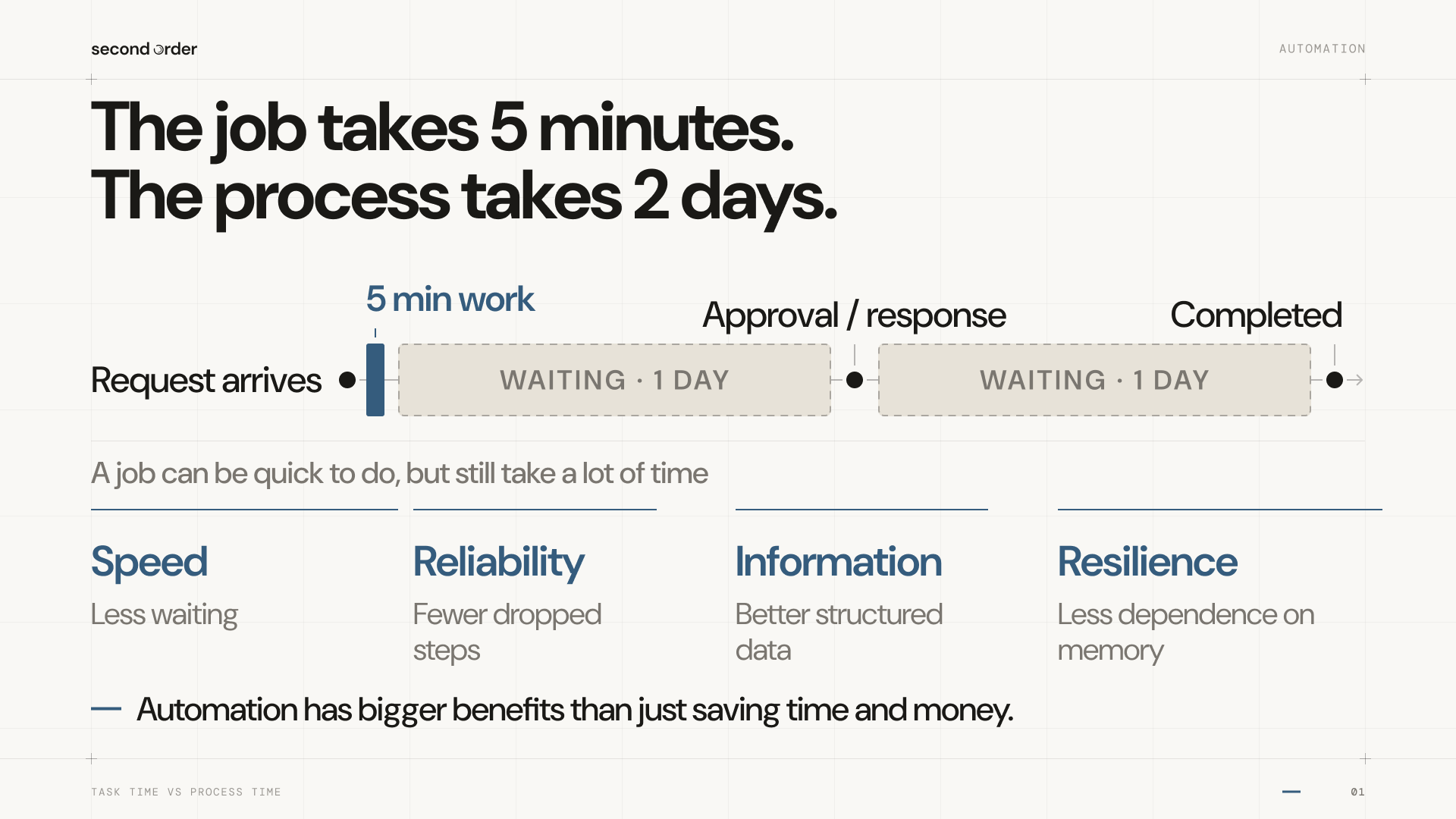
None of which is intended to scare anyone off from taking their first steps with automation or even AI agents. I highly recommend it as a way to make your business more robust and free your people to do what they are best at.
The technology is evolving quickly as well, which means things will get easier (but possibly also more complicated), so businesses that are moving ahead with this will learn the right lessons to keep taking advantage of the next phases.
So if you’re not sure where to start, then start small. Choose a real workflow, map it out and simplify if needed first. Then automate the parts that don't require judgement, and use AI where judgement is needed, but keep humans involved where it matters.
Once you’ve got that working you can start expanding.
Looking at automation opportunities?
Download our AI & Automation Opportunity Review Workbook to help identify, plan and prioritise these opportunities in your business.